• Work With Amy
  • Blog
  • Products
  • About
  • Contact
  • Work With Amy
  • Blog
  • Products
  • About
  • Contact

Succeed With Content - Staging

Successful Content Strategies for Profitable Income Streams That Are Easy to Maintain and Grow

  • Work With Amy
  • Blog
  • Products
  • About
  • Contact
  • Work With Amy
  • Blog
  • Products
  • About
  • Contact

8 Benefits of Creating and Selling SVGs

May 1, 2023 By Amy Harrop

There are many creative ways to earn money online, but one of my favorites is to create and sell images. Images can be sold as electronic files for buyers to download and use in DIY and craft projects or they may be printed on demand on products ranging from t-shirts to cell phone cases. If you’re wondering what image format is best, I recommend SVGs. 

SVG stands for Scalable Vector Graphics. Unlike other image formats, such as JPGs and PNGs, SVG files are vector files. That means that instead of an image being composed of pixels, SVGs are created using a mathematical formula on a grid. Each part of the image is described in relation to other parts of the image using points and lines. As a result, the SVG format eliminates many of the issues that may arise with pixel-based images. 


To help you understand why I like the SVG format, here are 8 benefits of creating and selling SVG images. 

#1: Images Won’t Distort When Resized 

The first big benefit of creating and selling SVGs is that unlike pixel-based images, SVG images do not distort or lose clarity when they are resized. Using a mathematical formula eliminates pixelation and means you can sell SVG image files to be printed in any size the buyer desires. 

The lack of pixelation makes SVG files ideal for selling to crafters for home projects and for partnering with print on demand suppliers. A single SVG file can be printed on something as small as a keychain or as large as a shower curtain with exactly the same quality. 
#2: No Specialized Equipment is Required 

There are some business models that require specialized equipment. Making and selling SVGs isn’t one of them. In fact, you probably already have most of the tools you need and can get the rest for free. 

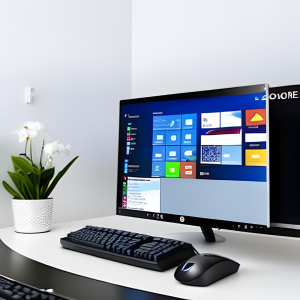
On the most basic level, all you need to create SVGs is a working computer, laptop, tablet, or even a smart phone, and reliable access to the internet. With those two things, you can get everything else you need, including free images to modify and sell as SVGs and free tools to create SVGs or convert other image types to SVGs. 

#3: You Don’t Need Any Graphic Design Experience to Create SVGs 

Another thing you don’t need to create SVGs is graphic design training or experience. You don’t need to be able to draw a smiley face or a stick figure to create beautiful and compelling SVGs that your audience will love. 

Many of the tools I recommend, including Canva, have free options that provide tons of templates and design tools. You can use simple, drag-and-drop technology to create images or to modify existing images to make them your own. 

#4: SVGs Are Popular and There’s a Built-In Audience for Them 

There’s a huge built-in audience for SVGs because there are tons of people who enjoy doing DIY home improvement or craft projects that use digital images. If you search on Etsy or Google for SVG files, you’ll see that many people are searching for images in this format because of their versatility. 

On Etsy, for example, a search for butterfly SVGs returned more than 61,000 results. You can be sure that there wouldn’t be tens of thousands of products in just one category if there weren’t a sizeable audience of people who are ready to pay for them. 

#5: You Can Make an SVG Once and Sell It Many Times 

One of the best things about SVGs is that they are digital products. Unlike a handmade product that requires ongoing work to keep up with demand, an SVG file can be created once and sold on an ongoing basis. 

Said another way, SVGs can provide a steady stream of passive income because after you create SVG products, they can stay in your online store forever and there’s no limit on how many times you can sell them. Given how quick and easy they are to create, the profit potential is nearly limitless. 

#6: You Can Work from Anywhere 

Most of us have had, at some point in our lives, a job where we need to report to an office, store, or warehouse. We don’t have the option of working from just anywhere. We need to be physically present to get the work done. 

If you create SVG files to sell, you can do your work from anywhere with a reliable web connection. That means you could be creating SVGs and responding to customer questions from your couch, your backyard, the beach, or a café in Paris. It’s a completely portable business model. 
#7: There Are Little to No Startup or Overhead Expenses 

Starting a business can require significant spending, particularly if your business requires business premises, office machinery, software, and a payroll. There’s a reason that so many small businesses fail: they can’t sustain the cash flow they need to flourish. 

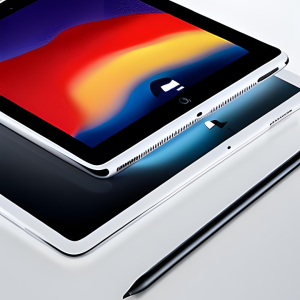
That’s not the case with making SVGs. You don’t need to spend any money to get started provided you have a reliable computer, laptop, or mobile device, and a working internet connection. You won’t need to pay rent or utilities and you won’t need to pay for storage to keep raw materials or inventory. In fact, the only storage you’ll need is what’s on your chosen device or in the cloud. 

#8: There Are Many Marketplaces to Sell SVGs 

I’ve already mentioned Etsy, but there are tons of places online where you can sell SVGs. Many creators choose to sell on multiple marketplaces because it allows them to maximize their reach. People who frequent one marketplace might not frequent another, so it makes sense to list your products in several places to make sure your target audience can find them. 

Some of the marketplaces to consider besides Etsy include: 

  • The Hungry JPEG 
  • Creative Market 
  • Creative Fabrica 
  • Design Bundles 
  • Redbubble 

You should keep in mind that each of these marketplaces has its own rules regarding images and product listings. Many pay on a commission basis, so be sure you understand what you’ll be earning as a creator and set your prices accordingly. 

Are You Ready to Create and Sell SVGs? 

Creating and selling SVGs is an easy way to earn money online and the 8 benefits I’ve listed here illustrate why I believe so strongly in this business model. 

Are you ready to create your first SVG? Click here to download Auto PD Prints Made Easy, my guide to using free images to create products you can sell!  

Related Posts:

  • Tempting Templates How to Create and Sell Digital Templates on Etsy
    Tempting Templates: How to Create and Sell Digital…
  • If you’ve been reading this blog for a while, you know we’re big fans of personalized digital products. Personalization can make any design feel special. Creators who sell personalized products can increase their profits by charging a little extra for personalization, too. AI tools can be used to create all kinds of cool digital and printable products, and that includes personalization. Here’s your ultimate guide to using generative AI to conceptualize and create personalized products to sell in your Etsy shop or on your website. Why Is Personalization Popular? Personalized products aren’t new. If you’re over a certain age, you probably remember those kiosks at the mall where you could get almost anything personalized, from brass clocks and candle holders to cufflinks and carafes. The thing about personalization is that it can make any gift feel special. It’s one thing to give someone you love a mug, and another thing entirely to give them one that’s personalized with their name or birthday. In other words, personalization shows that you were thinking about the recipient. And of course, gifts aren’t the only type of personalized product that people love. They also like to buy personalized items for themselves and may be willing to pay extra for the personalization. That’s one of the reasons that we love personalization: it’s a profit booster! How Can AI Tools Help with Personalization? Now, let’s talk about how AI tools can help with personalization. When you’re just starting out creating digital or print on demand products, you may have a bit of a learning curve as you figure out how to leave room for personalization in your designs. If you use an AI tool such as Canva or DALL-E 3 to create a design, you can tell it to leave a space for personalization. You won’t have to worry about wasting time with designs that don’t work. You can simply ask for what you want and get it. Of course, it may take a few tries to get your prompts right. That said, it’s still less time consuming to use AI than it is to start a design from scratch. Personalized Products to Create with AI Before we get into some specific prompts to use for personalization, here are some of the personalized items you may want to consider creating. • Printable journals, planners, or calendars • Mugs • Water bottles • Apparel, including t-shirts, sweatshirts, caps, or socks • Electronic accessories such as phone or tablet cases • Wall art • Accessories such as jewelry or tote bags • Home décor items such as pillows, candle holders, vases, or coasters You may even want to go for larger items such as shower curtains, sheets, or rugs. If you can find a POD provider to print it, you can put your AI-generated images on any product you want! AI Prompts for Personalization One of the trickiest things about working with generative AI is finding the right prompts. It can be frustrating at times, but here are some ideas to get the results you want. First, we suggest starting with a description telling AI what you want it to do. Here’s an example. I want to design an image for a t-shirt and leave room for personalization, such as a person's name. Do you understand? When we use DALL-E 3, we usually get a response asking us to describe specifically what we want and where we’d like the personalization to be. That’s part of the reason we use the “do you understand” wording, because we want to be able to give a basic idea of what we’re looking for, then augment with more specifics before an image is generated. Here’s an example. I would like the design to be scales, like the ones used for the Libra astrological sign. The image should be a circle with green scales on a light purple background. There should be room for the name underneath the scales. Once you get an image, you should be able to refine it from there. Our top piece of advice is to be extremely specific since most AI tools will take your words literally. For example, if you like one element of the initial design but want to change others, you’ll need to state that explicitly or expect the thing you like to be replaced with something new. Use AI to Create a Product Mockup Once you’ve got a design you like, we highly recommend creating a product mockup. Mockups are essential when selling POD products, since they help customers imagine your design printed on the product of their choice. Two tools we like for mockups are Canva and AdCreative.ai which can be used to create professional-looking “photoshoots” of your products with AI. Keep in mind that some POD providers may have tools to help you create mockups, with or without AI. You can use whichever tools you choose. Just make sure that your mockup is clean and professional. We like to have uniform mockups that use our brand’s colors and fonts. POD Providers for Personalization After you’ve created your design and mockup, you’ll need to find a POD provider to print your products and deliver them to your customers. Here are a few of our favorites. • Printify • Printful • Redbubble • Society6 • Amazon Merch on Demand Each one of these has its benefits. Pricing varies and you’ll need to decide which provider is best suited to your needs and to the needs of your customers. Order a Sample Our final suggestion is to order a sample of your design printed on a product. It’s the only way to be sure that you’re delivering high-quality products to your customers – and you want that, because it’s one of the best ways we know to generate future sales! After you’ve received your sample – and assuming you’re satisfied with it – the only thing left to do is to list your AI-created, personalized products in your online stores and wait for the money to start rolling in. Conclusion We hope you’re inspired to start creating your own personalized products with AI! People often come to sites like Etsy looking for unique gifts, and personalization adds that extra something that may inspire them to choose your shop instead of one of your competitors. Do you need an assist creating personalized POD products? Check out Easy Personalized POD now!
    Using AI to Create Personalized Products
  • Your Complete Guide to Making Printable Wall Art with AI
    Your Complete Guide to Making Printable Wall Art with AI
  • The Side Hustle That Doesn’t Need Followers, Fancy Tools, or 20 Hours a Week
    The Side Hustle That Doesn’t Need Followers, Fancy…

Filed Under: Content marketing Tagged With: content creation hacks, content marketing, social media marketing

New Release

33.5 MILLION Families Are Searching For This…You Can Publish Your First In-Demand Printables Or Short Book In 12 Proven Parenting Sub-Niches…

CLICK HERE TO SEE MORE

We’ve launched on Substack!


Join our Substack

We’ve launched on Substack!

Join us for fresh insights delivered straight to your inbox. Subscribe to get the latest posts on content and digital business.

Subscribe on Substack

Get the Latest Training

Parenting Profits: Printables & Short Books in a Weekend

33.5 MILLION Families Are Searching For This…You Can Publish Your First In-Demand Printables Or Short Book In 12 Proven Parenting Sub-Niches… …

Learn More

The Guy Gap Goldmine

Don’t Miss Out On 50% Of The Population…Tap Into This $15 Billion Publishing Gap Today …

Learn More

Garden Goldmine: AI-Powered Publishing for Books & Printables

77% Of Americans LOVE Doing This…Here’s How You Can Tap Into The $50 BILLION Demand…The Easy Way! …

Learn More

Recent Posts

  • Your Holiday Product Timeline: What to Create and List in October and November
  • Halloween and Fall Printables That Actually Sell (A September Creation Guide)
  • Q4 Printables Prep: What to Create in August and September
  • How to Find Underserved Publishing Niches (Step-by-Step Method)
  • How to Pick KDP Keywords Buyers Actually Search For (Free Method)

Press Kit | Disclosure | Disclaimer | Privacy Policy | Terms & Conditions| Affiliates